
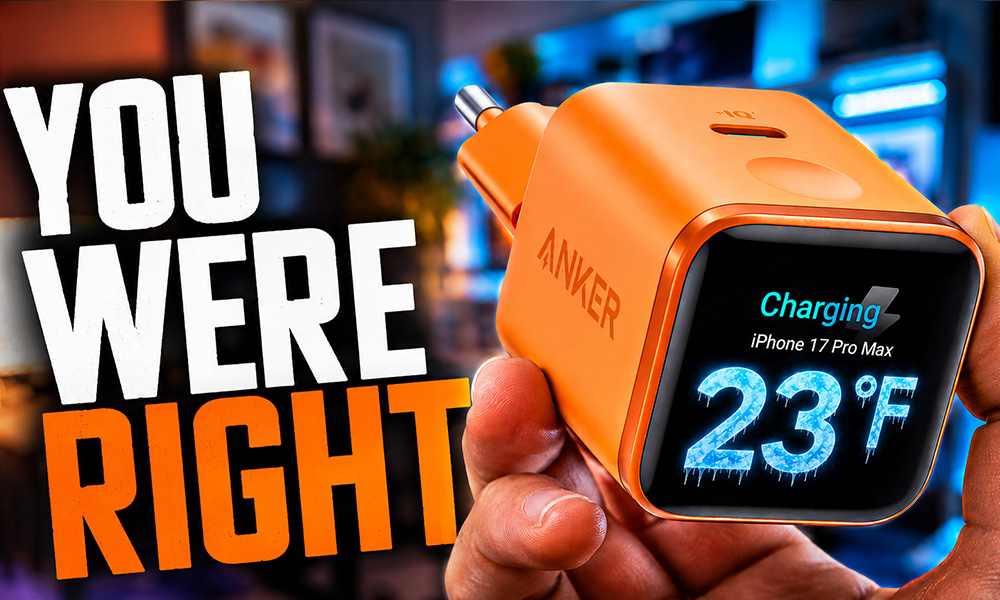
My first test of the Anker Nano charger was flawed. Two different chargers, two different phones, charging protocols that didn’t match, and cables without an E-Marker chip — you simply can’t draw a meaningful conclusion from that. The comments took me apart, and rightly so, so I repeated the entire test. Properly this time. And the result surprised me on two counts.

- Smart iPhone Recognition with Care Mode: Automatically recognizes supported iPhone models and adjusts charging for smarter, safer power delivery. Compatible only with iPhone 17 / 16 / 15 series, 11" iPad Pro (2024 / 2023 / 2021 / 2020), 12.9" iPad Pro (2022 / 2021 / 2020), and 13" iPad Pro (2024).Excluding iPhone 17e.
- 45W Max Fast Charging with Smart Power Adjustment: Delivers up to 45W of high-speed charging while adjusting output based on your battery level. Charge iPhone 17 Pro to 50% in just 20 minutes. (Note: Data based on internal lab testing. Actual performance may vary depending on usage conditions.)
- Smart Display Controls: Tap once to view real-time charging status, double-tap to switch between modes, and press for 2 seconds to rotate the screen. The display automatically turns off after a certain period of time. For more details, scan the QR code to view the user manual.
- Extends Battery Life: TÜV-certified Care Mode lowers charging temperature by up to 9°F compared to standard 45W chargers—ideal for overnight charging.
- Pocket-Sized with Dual Foldable Prongs: Approximately 47% smaller and 36% lighter than the original 30W charger. Features both 90° and 180° foldable prongs for easy use in tight spaces.

The Corrected Test Setup
This time only a single charger is involved: the Anker Nano at 45 watts, paired with an original Apple charging cable and an iPhone 17 Pro Max with a 40-watt maximum charging rate, kept in airplane mode throughout.
Each run charges for 30 minutes starting from 10 percent — once in Auto mode, once in Care mode. Measuring anything above 80 percent would be pointless, since phones throttle themselves from that point anyway. Apple states an optimal ambient temperature of 16 to 22 degrees Celsius, so all measurements were taken at exactly 20 degrees.
After 10, 20 and 30 minutes I recorded both battery level and case temperature, the latter with an infrared thermometer at consistently the same spot.
The Measurements
Care mode: 25 percent at 26.0 degrees after 10 minutes, 39 percent at 27.8 degrees after 20 minutes, 52 percent at 28.9 degrees after 30 minutes. The charging rate held constant at 19 watts throughout.
Auto mode: 36 percent at 35.5 degrees after 10 minutes, 57 percent at 36.0 degrees after 20 minutes, 71 percent at 34.2 degrees after 30 minutes. Here the power fluctuated heavily between 40 and 16 watts.
The pattern in Auto mode is telling: the temperature climbs to 36 degrees, then falls back to 34 — while the power collapses from 40 to 18 watts at the same time. That isn’t a fault, it’s the iPhone’s thermal management doing its job. The device notices it’s heating up, throttles itself, and cools down in the process.
Anker Understated It – But That Isn’t the Point
Anker advertises a 5-degree temperature reduction in Care mode. Between the two modes I measured a 9.5-degree difference after 10 minutes. So the manufacturer didn’t overstate the claim — it actually undersold its own product.
The catch lies elsewhere. Care mode charges at a constant 19 watts — and that’s exactly what an ordinary 20-watt Apple power supply delivers too. So that this doesn’t remain a mere claim, I tested it head to head under identical conditions.
The result: both reach exactly 52 percent battery after 30 minutes. Not roughly — precisely the same. On temperature, the Anker ends up 1.2 degrees cooler. An advantage, yes — but 1.2 degrees, not 5.
So the advertised 5 degrees apply exclusively against the charger’s own Auto mode. Against a normal power supply, a good one degree remains, and that isn’t Anker technology but simply the consequence of lower wattage. To be fair: the Apple unit warms steadily over the half hour, from 27 to 30 degrees, while the Anker in Care mode first cools and then rises only slightly. So Anker does keep the temperature marginally better under control — by one degree.
Calculate Your Charging Rate Yourself, No Meter Needed
A useful side effect of this test: you can work out your own average charging rate. Take the percentage points your phone gained in half an hour and multiply them by 0.45.
In my case that was 42 percentage points, giving 18.9 watts on paper. The display showed me 19 watts. The formula is remarkably accurate.
The Real Finding: Those Degrees Don’t Matter
And here’s what actually decides the purchase. A lithium battery only enters critical territory above 40 degrees. In not a single test run — not even in full Auto mode — did I reach that mark. The peak was 36 degrees. All three tested power supplies therefore operate in a completely harmless range.
A long-term investigation by the channel HTX Studio supports this: roughly 40 devices across two years and several test series, with 500 full charging cycles in the decisive run. The fast-charged iPhones lost 12.3 percent capacity, the slow-charged ones 11.8 percent — a difference of 0.5 percentage points. On the Android devices tested, the result actually favoured fast charging.
What genuinely ages a battery is something else entirely. When charging overnight, the device is full after one to two hours in any mode. After that it draws almost no power. The problem is the remaining six hours the battery spends sitting at 100 percent. That’s what causes damage, not the warmth during charging.
So the most important takeaway from this test is this: leave optimised charging enabled in your settings, or set the charge limit to 80 percent outright. That does more for your battery than any charging mode.
When Care Mode Does Make Sense
There are situations where the mode earns its keep: when things are already hot. In a car, in direct sun, outdoors in summer — or when the phone is buried under a duvet and heat builds up. Ending up at 33 instead of 42 degrees in those conditions moves you from the harmful range into the harmless one. That’s the one scenario where the feature delivers genuine value.
Price Settles It
A 45-watt power supply without a display currently costs around $14, from Ugreen for example — likewise an established accessory brand, not some anonymous seller. I haven’t tested it, and I’ll say that openly.
The arithmetic is simple regardless: the iPhone won’t accept more than 40 watts anyway, and a budget unit delivers those. Which leaves the question of what the Anker premium buys you. Care mode, which barely does anything in daily use? The display?
I’m keeping the Anker — but for a reason that isn’t one for you at home: for tests like this I constantly have to read off wattage, and the display does that work for me. If you simply want to charge quickly, get the cheaper model.
Verdict
Auto mode gets you 19 percentage points more charge in half an hour, at a cost of 5 to 9 degrees that demonstrably do nothing to your battery. Care mode, meanwhile, achieves no more than an off-the-shelf 20-watt power supply. For the vast majority, the Anker Nano therefore isn’t a sensible purchase — however accurate its advertised figures turn out to be.
If you genuinely want to protect your iPhone 17 Pro, the money you save is better spent on protective gear. We’ve tested in detail which iPhone 17 Pro cases survive the drop test, along with the question of which iPhone 17 Pro screen protector actually holds up. Both do measurably more for your device than a few degrees while charging.